

Businesses rarely lose time because of one major task. More often, the problem is a long list of small jobs that have to be repeated every day. A sales representative may copy lead information into a CRM, a finance employee may enter invoice details, or a support team may sort customer requests before anyone can respond. Over time, those tasks become expensive and can also introduce errors. This is why business process automation tools have become useful for companies that want to connect systems, reduce manual work, and keep everyday operations moving.
The automation market is broad, though. Some platforms are mainly designed to connect cloud applications. Others can operate desktop software, manage enterprise workflows, or use AI to understand emails and documents. Choosing between them requires more than looking at a feature list.
A better approach is to ask what kind of work the company needs to automate. A marketing team handling leads may need a different platform from a bank processing thousands of transactions.
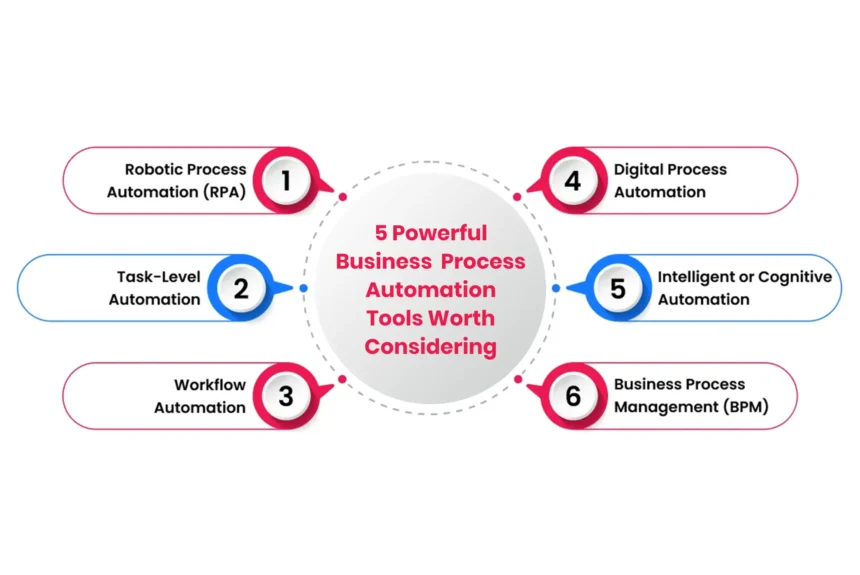
The following five tools illustrate those differences, along with examples of how businesses are actually using them:
- Zapier
Zapier is built around connecting applications and automating the movement of information between them. Its appeal is that a business does not necessarily need to build a custom integration every time two systems need to exchange information.
A workflow, often called a Zap, can start with an event in one application and then trigger one or several actions elsewhere. For example, a new lead can enter a CRM, trigger a notification, update a marketing platform, and create a follow-up task without someone manually moving the information.
The platform has expanded beyond basic trigger-and-action workflows. Its current capabilities include automation, AI-powered workflows, data management, and tools for orchestrating work across applications.
- Real customer example: Veo
Veo, a sports technology company, receives large numbers of leads from social media and email. Before automation, moving that information into the CRM manually slowed down the sales process.
Veo used Zapier to automatically move lead information from Facebook, Instagram, and email into its CRM. The workflow also updated information such as the lead’s latest marketing touchpoint. Veo reported saving thousands of hours of manual work, reducing lead costs by 20%, and reaching a 7.5% conversion rate from social campaigns.
The example shows where Zapier is particularly useful: when information already exists in one application but needs to reach several other systems quickly.
Another example is ServiceTitan, which used Zapier to automate lead data enrichment across multiple applications. Instead of downloading, formatting, and uploading information manually, the company automated the flow of lead data so teams could work with more current information.
Best suited for: Marketing, sales, customer support, and operations teams that need to connect multiple applications without building integrations from scratch.
- Microsoft Power Automate
Microsoft Power Automate takes a broader approach. It can connect cloud applications, automate desktop tasks, manage approvals, and support robotic process automation. It is especially attractive to organizations already using Microsoft 365, Teams, SharePoint, Excel, Dynamics, or other Microsoft services.
One of its strengths is the combination of cloud flows and desktop flows. A company can automate a process that begins with an online event and then requires interaction with software installed on a computer.
That matters because not every business application has a modern API. Instead of rebuilding an old system, a company can sometimes use automation to interact with it.
- Real customer example: Uber
Uber provides a strong example of Power Automate being used at enterprise scale. When Uber moved its on-premises data centers to the cloud, the company reassessed its automated processes. It selected Power Automate and migrated more than 50 business processes covering areas such as safety and tax reporting, invoice processing, and vendor management.
Microsoft reports that the automation saves Uber more than $9 million annually. The company also planned additional automation work.
There are other examples that show the range of Power Automate. Komatsu Australia used Power Automate and AI Builder to automate invoice processing. Its parts department was dealing with nearly 52,000 invoices annually, and the initial solution saved more than 300 hours of manual entry for one supplier alone.
Power Automate can therefore be useful for both straightforward workflows and larger automation programs.
Best suited for: Organizations already invested in Microsoft technology, particularly those looking to automate approvals, document processing, data entry, desktop tasks, and back-office operations.
- UiPath
UiPath is best known for robotic process automation, but its capabilities now extend into AI-powered business automation and orchestration. The important distinction is how UiPath approaches automation. Rather than only connecting two applications through an integration, its software robots can interact with applications and interfaces in ways that resemble the actions of a human employee.
This makes the platform valuable in environments where employees have to work with several systems, including older applications that may not have convenient APIs.
UiPath also provides tools for discovering processes, understanding documents, managing automation, and monitoring results. That makes it more suitable for organizations looking to build an automation program rather than simply automate a handful of tasks.
- Real customer example: Swiss Re
Swiss Re is one of the well-known examples from UiPath’s customer case studies. The insurance company used RPA to automate business processes and reached its 100-process automation milestone.
An earlier UiPath case study reported that Swiss Re initially automated a bank account reconciliation process. The company reduced the reconciliation time from 15 business days to three, an 80% improvement. It subsequently automated another 100 processes, with robots performing work equivalent to about 65 full-time employees each year.
UiPath also has more recent examples. One NZ used UiPath automation and orchestration to reduce mobile provisioning from 10 days to under 10 minutes without replacing its legacy systems.
These examples show why UiPath is often considered when automation needs to cross application boundaries or operate within complex enterprise environments.
Best suited for: Large organizations with high-volume repetitive processes, legacy applications, regulated workflows, finance operations, customer service, and enterprise-wide automation programs.
- Make
Make approaches automation from a highly visual angle. Instead of treating a workflow as a simple sequence of triggers and actions, the platform allows users to map how information travels through a process.
This is useful when a workflow has several stages or possible outcomes. A business might receive a customer request, check its type, send the information to a particular application, notify a team, and then take a different action depending on the customer’s response. Make allows these steps to be connected into a visual scenario.
The platform has also expanded into AI-powered automation and agents, which means its use cases are no longer limited to basic application integrations.
- Real customer example: Stellantis &You UK
Stellantis &You UK, a large manufacturer-owned dealership group, had a customer communication problem. Customers could contact its aftersales department by phone or in person, and communication had become a significant source of complaints.
The company implemented an AI-powered messaging workflow using Make alongside Knack, ClickSend, and OpenAI.
The system classified incoming messages by intent and sentiment. Messages that did not require further action could be closed automatically, while messages showing signs of dissatisfaction could be flagged for employees.
Over 12 months, the automation analyzed more than 47,000 messages and automatically handled more than 18,000 of them without follow-up. The company also reported that communication became a reason for customers to give 9-10 NPS scores.
Another Make customer, Bolt, used automation to synchronize internal systems and automate task reminders. The company reported saving more than two workdays per HR employee each month.
Best suited for: Teams that need flexible, visual workflows involving several applications, conditional logic, customer communication, sales, HR, and operations.
- Levity
Levity is different from the first four tools because its focus is strongly connected to AI and unstructured business information.
Traditional workflow automation works best when the system knows exactly what to look for. An incoming form may have a defined field for a customer number, for example. Emails and documents are different. The information may be written in different ways, and the system has to understand what the content means before deciding what should happen next.
This is where Levity can be useful, it can help businesses automate workflows involving emails, documents, attachments, and other information that normally requires someone to read and interpret it.
- Real customer example: Gebrüder Weiss
Gebrüder Weiss North America provides a particularly relevant example. Its freight brokerage operations involved a large amount of email and document-driven work, including invoice and proof-of-delivery follow-ups, order entry, carrier tagging, and quoting.
The company used Levity to automate several of these operational workflows. According to Levity’s customer case study, manually driven activities were cut from 40% to 20%. The team saved around two hours per day on invoice and proof-of-delivery follow-ups, while batch order entry that previously took around two hours a week was automated, allowing hundreds of shipments to be processed in under a minute.
The company also used automation to reduce quote response times from hours to seconds.
This is a good example of where AI-based automation can have a practical advantage. The work was not simply about moving a field from one application to another. Employees were dealing with operational messages, documents, shipments, and changing information.
Best suited for: Businesses dealing with large volumes of emails, documents, forms, and other unstructured information where AI can help interpret and route content.
What Should Companies Automate First?
The best first project is usually not the most complicated one. Companies should look for work that happens frequently, follows a recognizable pattern, takes employees a meaningful amount of time, and has clear results that can be measured.
Invoice processing is one example. Lead routing is another. Customer message classification, employee onboarding, reporting, and approval workflows can also be good candidates.
The important thing is to measure the process before automating it. How long does it take today? How many people are involved? How often do mistakes happen? What happens when something goes wrong?
Those answers make it easier to judge whether automation is actually delivering value.
Businesses should also leave room for human review. Not every customer request or document will fit the expected pattern. A good automation system should have a way to send exceptions to an employee instead of forcing every situation through the same automated path.
Conclusion
The strongest automation projects are not about replacing people with software. They are about removing repetitive work that prevents employees from concentrating on more valuable responsibilities.
The customer examples show how different that can look in practice. Veo used Zapier to move large volumes of leads into its CRM, Uber used Power Automate across more than 50 business processes, Swiss Re used UiPath to streamline reconciliation and other operations, Stellantis &You UK used Make to process customer messages, and Gebrüder Weiss used Levity to automate email- and document-heavy freight operations.
The right choice ultimately depends on the work a company wants to improve. When the platform matches the process, business process automation software can do more than save time. They can make information easier to manage, reduce avoidable errors, improve response times, and give employees more room to focus on work that genuinely needs a human touch.
FAQs
- What are business process automation tools?
They are software platforms that help companies automate repetitive business activities. Depending on the platform, they can connect applications, manage workflows, automate desktop tasks, process documents, handle approvals, or use AI to interpret information.
- Which business automation tool is best for small businesses?
Zapier and Make are often suitable for smaller teams that need to connect applications and automate everyday tasks. The right choice depends on the company’s existing software and the complexity of its workflows.
- Is UiPath only for large companies?
No, but its broader capabilities are particularly valuable for organizations with complex automation requirements. Companies dealing with legacy applications, large transaction volumes, or enterprise-wide automation can benefit from its capabilities.
- What makes Power Automate different from Zapier?
Both can connect applications and automate workflows, but Power Automate has particularly strong integration with Microsoft’s ecosystem and also supports desktop automation and RPA. Zapier is widely known for connecting a broad range of business applications through easy-to-build workflows.
- When should a business use AI for automation?
AI becomes especially useful when a process involves information that is difficult to handle through fixed rules. Emails, documents, customer messages, and free-form requests are examples where AI can help classify or interpret information.
- Can automation work with old business systems?
Yes. RPA can be useful when older systems do not offer modern APIs. UiPath and Power Automate, for example, can automate interactions with desktop and legacy applications.
- How can a company measure the success of automation?
Companies can measure hours saved, processing time, error rates, costs, response times, number of manual steps removed, and employee capacity returned to higher-value work. The best measurement depends on the process being automated.
About The CEO Views
The CEO Views is a business publication that follows companies, executives, and the stories behind their work. Its coverage moves across technology, entrepreneurship, leadership, and other areas of business.
The publication runs interviews, company stories, articles, magazine features, and press releases. These give business owners and executives a place to speak about their work, the experiences that shaped them, and what they are doing within their companies.