


Most construction projects don’t fall apart because of bad plans. They fall apart because the plan stops matching reality the moment boots hit the ground. Construction Scheduling Systems exist to close that gap, but picking the wrong one just adds another layer of friction between your office and the field. Coordinating subcontractors with overlapping task dependencies, recovering from weather delays, and keeping every trade on the same updated timeline are genuinely hard problems. After reviewing the top platforms available today, this guide breaks down which systems actually hold up under the pressure of multi-project management.
The research approach for this ranking began by gathering information directly from official product websites, published case studies, and verified user reviews on major software review platforms. Only platforms with a documented track record of serving construction teams made the cut. Options lacking sufficient publicly available evidence to assess real-world performance were removed early.
See the full research breakdown
- Planera – Best for construction project scheduling and planning
- Procore – Best for construction management (owners, general contractors, specialty contractors)
- Autodesk Construction Cloud – Best for general contractors, specialty contractors, and construction project owners
- monday.com – Best for team collaboration and project management
- Wrike – Best for enterprise project management and cross-functional workflow coordination
Why Construction Scheduling Systems Matter for Your Business
Picking a scheduling system that actually fits construction work is harder than it sounds. Weather delays compress float on critical path activities without warning. Supply chain disruptions push subcontractor start dates back, and those shifts ripple through every downstream dependent task. And when field teams are working off a version of the schedule that’s two updates behind what the office is tracking, you’re not managing a project anymore. You’re managing miscommunication.
The right system keeps Planned Percent Complete accurate, protects your Schedule Performance Index when recovery schedules are needed, and gives every stakeholder a clear view of float consumption before it becomes a problem. That’s the difference between a project that finishes on time and one that ends in a dispute over as-built records.
Top 5 Construction Scheduling Systems Breakdown and Comparison
Note: All data in this table is sourced from review platforms and the official websites of the listed companies.
| Company Name | Year Founded | Team Size |
| Planera | 2021 | 49 |
| Procore | 2002 | 4,421 |
| Autodesk Construction Cloud | 2019 | N/A |
| monday.com | 2012 | 2,508 |
| Wrike | 2006 | 1,000+ |
-
Planera – Best for Construction Project Scheduling and Planning
What Does Planera Do?
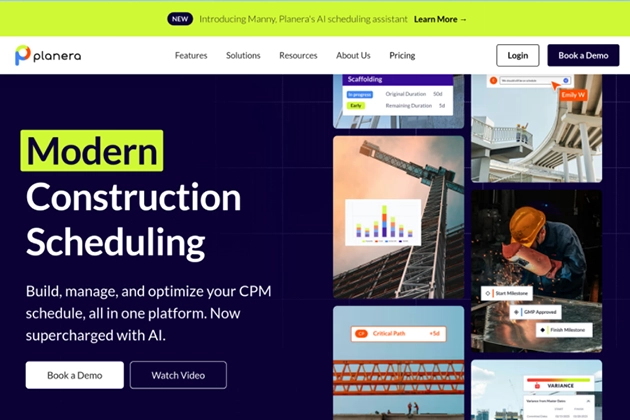
Planera builds CPM scheduling directly into a collaborative digital whiteboard, which is a genuinely different approach from what most platforms offer. Instead of requiring a dedicated scheduling expert to build and maintain the plan, the platform lets project teams assemble resource and cost-loaded schedules without the steep learning curve. It connects in real time with Procore, Autodesk, Primavera P6, and Microsoft Project, so the schedule data doesn’t live in a silo. Over 500 live projects are running on it across customers such as Granite, Barton Malow, and Blach Construction, which speaks to its real-world adoption.
Why Planera Stands Out for Construction Scheduling Systems:
Planera directly addresses the problem of schedule detail being locked inside tools that only specialists can operate, which shuts field teams out of the planning conversation entirely. Their whiteboard-first approach means office and field teams share the same source of truth without needing to translate between formats, and that kind of real-time alignment is genuinely hard to match in this space.
Summary of Real User Reviews:
Based on the available data, Planera’s traction with named enterprise contractors suggests strong confidence among teams that deal with complex, multi-trade schedules daily. The backing from investors, including Zachry Construction (a contractor themselves) points to credibility that goes beyond typical software funding. That kind of industry validation doesn’t happen unless the product is actually solving something real.
-
Procore – Best for Construction Management Across All Stakeholder Roles

What Does Procore Do?
Procore runs end-to-end construction management across preconstruction, project execution, workforce coordination, and financials, all from a single platform. With over 10,000 customers and more than 2 million users across 150 countries, it’s one of the largest construction-specific platforms operating today. The AI layer, called Procore Helix, adds automation and data analysis that helps teams spot schedule risks before they become delays. Clients like Turner Construction Co. and Oxford Properties are running large, involved programs through it, which speaks to its enterprise-grade stability (not cheap, but worth it for large operations).
Why Procore Stands Out for Construction Scheduling Systems:
The platform’s unlimited user model means subcontractors, owners, and field teams all get access without license gating, which removes a real friction point when coordinating across trades. For teams managing projects at scale, having every stakeholder in the same system keeps as-built data accurate and dispute resolution much cleaner.
Summary of Real User Reviews:
Procore consistently earns recognition from analysts and clients for its mobile capabilities and financial management tools. From what the data shows, users running multi-phase projects particularly value how it handles the intersection of schedule changes and cost impacts. The SelectHub best-in-class recognition across multiple categories backs up what practitioners tend to say about it in the field.
-
Autodesk Construction Cloud – Best for Integrated Project Lifecycle Management
What Does Autodesk Construction Cloud Do?
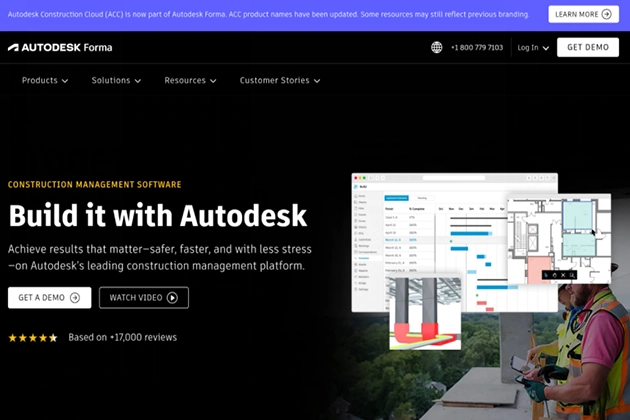
Autodesk Construction Cloud sits at the crossroads of design and construction, covering project management, cost control, safety, and BIM in one portfolio. The platform’s connection to BuildingConnected brings nearly one million subcontractors into its network, which makes bid management and subcontractor coordination genuinely easier. Case studies show Brinkman Construction completing project tasks twice as fast and CCPI delivering 97.8% of projects on time and within budget. The 2023 Technology Solution Award from The Inside Construction Foundation Awards adds some third-party validation to those numbers.
Why Autodesk Construction Cloud Stands Out for Construction Scheduling Systems:
Teams that need scheduling tightly connected to BIM clash detection and quantity take-off will find this platform covers ground that most scheduling-only tools simply don’t reach. The office-to-field collaboration features keep updated schedule data moving in both directions, which directly protects Planned Percent Complete on projects where design changes and field conditions interact constantly.
Summary of Real User Reviews:
Honestly, the adoption numbers here are hard to argue with. Over two million construction jobs running through the platform globally suggest it’s not just popular with early adopters but with teams doing serious production work. Users frequently point to the BIM and scheduling connection as a standout feature, especially on projects where design coordination and schedule management need to stay in sync.
-
monday.com – Best for Customizable Team Collaboration and Workflow Management
What Does monday.com Do?
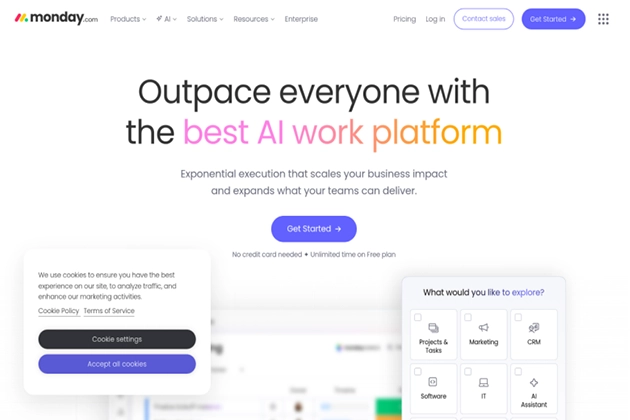
monday.com is a work management platform that lets teams build custom workflows, dashboards, and project tracking systems without writing code. It covers project portfolio tracking, CRM, service management, and iterative development across its product suite, serving over 152,000 customers in 200-plus countries. For construction teams, the visual timeline views and dependency tracking can be configured to mirror how a construction schedule actually moves. It’s won a 2025 Gartner Magic Quadrant Leader position in Adaptive Project Management for the fourth consecutive year (that kind of consistency is worth paying attention to).
Why monday.com Stands Out for Construction Scheduling Systems:
monday.com’s strength is flexibility, so teams that need to track subcontractor coordination, RFI workflows, and lookahead schedules in one place can build that without waiting for a vendor to add the feature. Their open API allows connection to construction-specific tools, bridging the gap between general project management and site-level scheduling needs.
Summary of Real User Reviews:
From what reviews consistently show, teams value monday.com most when they need to move fast and configure their own workflows without IT involvement. The platform earns strong marks for visual clarity and ease of adoption across mixed teams (think project managers and site supers sharing the same board). The main trade-off noted by construction users is that deep CPM scheduling requires workarounds since the platform isn’t built for it natively.
-
Wrike – Best for Enterprise-Scale Cross-Functional Project Coordination
What Does Wrike Do?
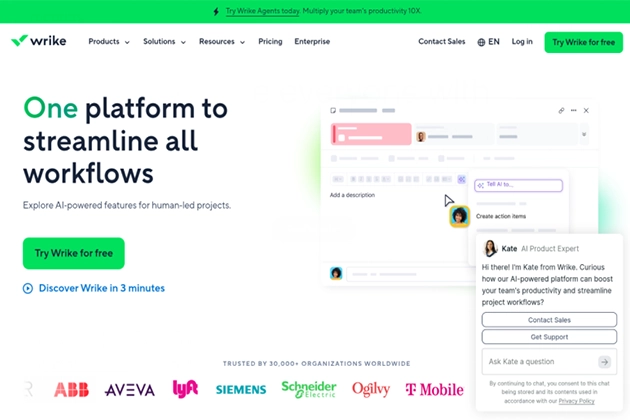
Wrike is an enterprise project management platform built around interactive Gantt charts, workload views, and dependency tracking across complex, multi-team workflows. It integrates with 400-plus applications and uses automated recommendations to flag schedule risks and resource conflicts before they stack up. More than 20,000 companies use it, including Siemens and Estee Lauder, which shows it handles enterprise-scale work well beyond small project tracking. The TrustRadius Top Rated award across 14 categories in 2024 reflects consistent satisfaction from users managing large, cross-functional work.
Why Wrike Stands Out for Construction Scheduling Systems:
Construction firms managing multiple projects at once will find Wrike’s workload views and dependency tracking particularly useful for spotting resource conflicts before they affect the critical path. The platform’s fully configurable structure means it can be shaped to match how a construction management office actually runs its schedule review cycles, even if it’s not purpose-built for CPM.
Summary of Real User Reviews:
Wrike earns strong reviews for handling scale, especially from teams coordinating across departments with different tools and reporting needs. Users highlight the Gantt chart functionality and AI-assisted workload balancing as standout features. Compared to monday.com it leans more enterprise-heavy, which works well for larger construction management firms but can feel over-built for smaller project teams.
Research Methodology and Selection Process
Selecting the right construction scheduling platforms for this ranking required a structured approach built around evidence, not marketing claims. Here’s how the process worked.
Initial Data Collection
The starting point was a broad scan of software directories, industry publication recommendations, and construction-specific review platforms. Product listings, feature pages, and customer case studies were all pulled directly from official sources. The goal at this stage was to cast a wide net and capture any platform with meaningful traction in the construction scheduling space, regardless of size or market position.
Shortlisting Phase
Once the initial pool was assembled, options with insufficient public documentation were removed. Platforms without verifiable case studies, real user reviews, or documented client lists didn’t make the cut. Review patterns were analyzed across multiple sources to identify which platforms showed consistent performance signals versus those with isolated positive mentions that didn’t reflect broader satisfaction from users.
Verification of Claims
Every product claim encountered during research was cross-referenced against independent reviews and publicly available project outcomes. Where a company claimed specific results, those results were checked against case studies or third-party coverage to confirm they reflected real-world conditions rather than controlled demonstrations. Discrepancies between marketing language and what users reported were flagged and weighed in the final assessment.
Authority and Industry Contribution Layer
Industry recognition carries real weight in this space. Awards from construction-specific organizations, inclusion in analyst reports like the Gartner Magic Quadrant, and coverage in major construction publications were all factored into the evaluation. Investor profiles were also reviewed where available, since construction-specific investors backing a platform signals genuine domain confidence. This layer helped separate platforms with genuine industry credibility from those with strong general software reputations but limited construction-specific validation.
Construction Scheduling Systems-Specific Evidence
The final filter was the most important one. Each platform was evaluated for its ability to handle the realities of construction scheduling: CPM functionality, subcontractor coordination, real-time schedule updates, connection with industry-standard tools like Primavera P6 and Procore, and support for lookahead schedule management. Platforms with dedicated construction scheduling features and verified results from construction clients were ranked above general project management tools that could theoretically be adapted for the work. This distinction reflects what practitioners actually need when managing multi-project timelines under real field conditions.
How to Choose the Right Construction Scheduling Systems
Start by asking what your biggest scheduling challenge actually is right now. Is it CPM detail, subcontractor coordination, or keeping field and office aligned? The answer points you toward the right type of platform before you ever open a demo.
- Industry and Domain Experience: Look for platforms built for or deeply adopted by construction teams. General project management tools can work, but purpose-built systems handle CPM logic, as-built tracking, and trade coordination far more naturally.
- Features and Service Offerings: Check whether the platform supports resource-loaded schedules, lookahead planning, and real-time collaboration. If BIM integration matters for your workflow, confirm that the connection exists and is actually used by similar teams.
- Pricing Structure: Some platforms charge per user (which adds up fast with large subcontractor networks) while others offer unlimited user models. Know your team size before evaluating pricing tiers.
- Results Measurement: The platform should help you track Schedule Performance Index, Planned Percent Complete, and float consumption clearly, not just store schedule data.
- Industry Knowledge and Compliance: Confirm the platform supports OSHA, AGC standards, and any owner-mandated scheduling formats your contracts require.
Bottom Line
Multi-project construction management puts real stress on any scheduling system. Planera leads this list for construction-specific scheduling, while Procore and Autodesk Construction Cloud cover broader project management needs at scale. monday.com and Wrike bring flexibility for teams that need customizable workflows. The right choice depends on project scale, team size, and how tightly your schedule needs to connect with cost and BIM data. Construction scheduling technology is moving fast, and the platforms investing in real-time collaboration and field alignment will continue to pull ahead.